Embedding contextual assistance into performance management workflows
- Industry
- HR Tech / B2E
- Timeframe
- 2025
- Role
- UX and Product Design
- Skills
- UX strategyInteraction designConversational designPrototypingUser research
Designing an AI-enhanced experience for an HR wellbeing and goals platform, enabling data-driven insights and supporting users with practical guidance and actionable next steps.
Context
The product started as an app supporting employee wellbeing, development, priorities, and 1:1s. From that foundation, a clear opportunity emerged to introduce AI-driven automation that would help teams thrive through easier workflows.
Working as the Product Designer on the AI layer, I partnered with stakeholders to translate friction in the existing product into AI surfaces that were genuinely useful, contextually aware, and trusted by both employees and the managers who supported them.
Impact at a glance
15+
Hours of redundant work saved per user, per month
3×
Faster 1:1 preparation between managers and employees
60%
Reduction in onboarding friction for new users
Key pain points to solve
- Employees
- Managers
Blank-page goal setting
Employees struggle to define meaningful goals without guidance, often unsure where to start or what good looks like.
Patterns hidden in plain sight
Managers struggle to identify meaningful patterns across team members' wellbeing and performance data over time.
Data without direction
Wellbeing and performance data gets tracked, but not translated into clear, actionable next steps.
Momentum lost after 1:1s
Action items from 1:1s and reviews are easily forgotten or buried, reducing accountability and follow-through.
Information overload on mobile
Too much content is presented at once, making it hard to scan, prioritise, or act quickly on smaller screens.
Time-heavy 1:1 preparation
Preparing for a 1:1 means manually stitching together scattered context, a recurring overhead that scales with team size.
Approach
The work started by mapping every place in the existing product where AI could add value, and asking a single question for each: what would the user expect to happen here? Two clusters emerged. In one (goal setting, wellbeing check-ins, 1:1 prep), users would engage with the AI directly: ask a question, read the response, refine. In the other (meeting recording), users would expect a result to appear without ever interacting with the tool. Shipping a single "AI Assistant" would force both clusters to inherit one set of conventions, whichever we built first. We named two agents up front instead, the conversational one and the transcription one, gave each its own behavioural rules, and mapped the autonomy spectrum for both.
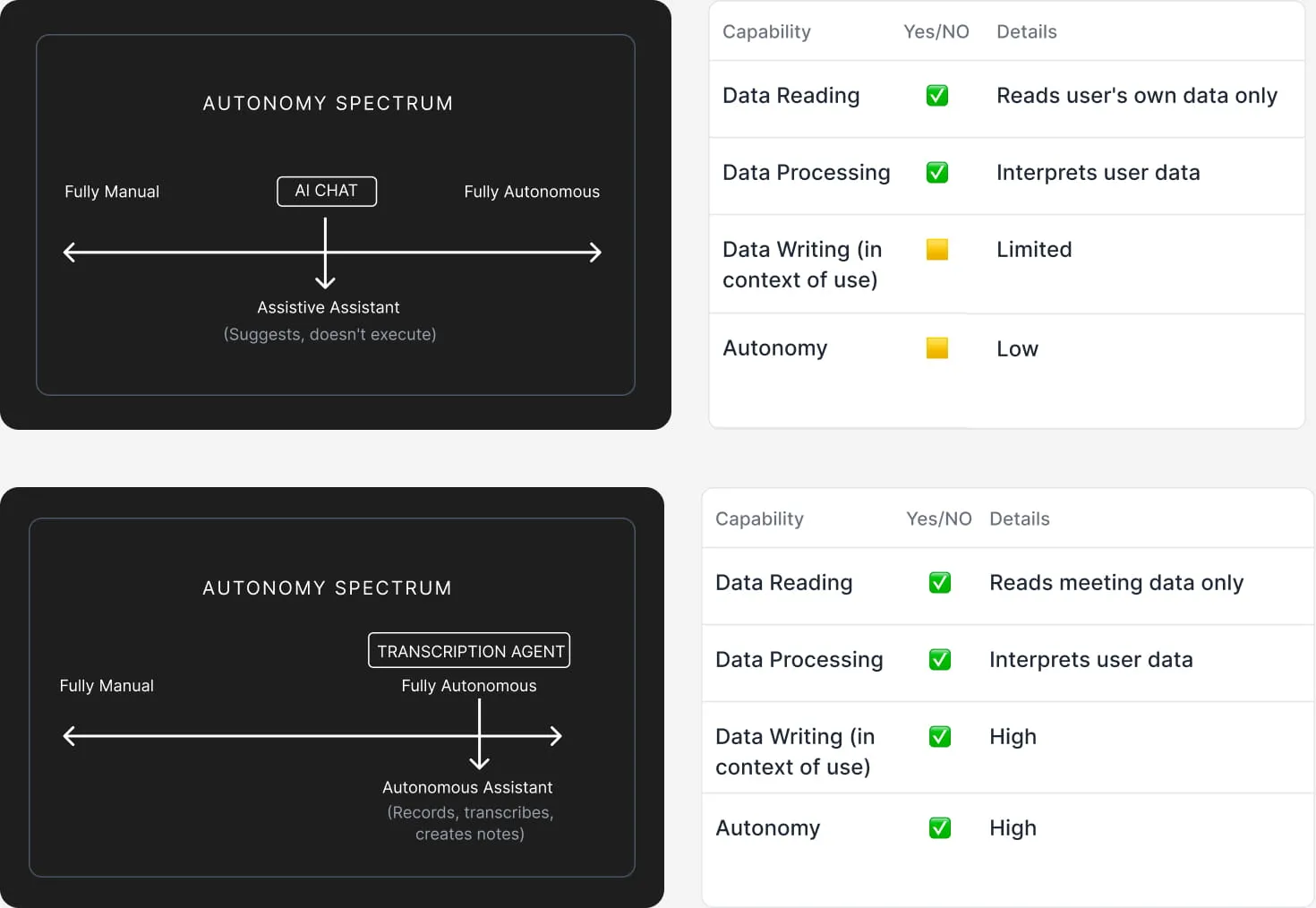
The conversational agent sits in the assistive zone: it suggests and asks, never acts on the user's behalf. The transcription agent sits at the autonomous end: it joins meetings, records, transcribes, and writes a summary without supervision. Side by side on the spectrum, both tools became easier to brief, build, and constrain.
| Aspect | Conversational agent | Recording & transcription agent |
|---|---|---|
| What it is | Chatbot | Video and text-processing tool |
| Interaction | Yes, interactive conversation | No, it listens to your meeting |
| When it's used | Before or between meetings | During or right after meetings |
| How it helps | Suggests ideas, asks questions | Documents what happened |
| Output | Real-time chat responses | Post-processed summary and transcript |
| Autonomy | Low (assistive) | High (autonomous) |
The chat surface had to serve three different jobs depending on where it was opened. A single, generic chatbot would have left users guessing what to ask. Instead, each entry point sets up the kind of help available right there, so users start with intent instead of hesitation.
-
Help for managers, prepping a 1:1
Surfaces patterns and areas of concern from recent data, so managers walk into the meeting with talking points already framed.
-
Coaching for employees
Helps employees translate intent into concrete first steps, with prompts that defeat the blank-page freeze.
-
Assistance for meeting summarisation
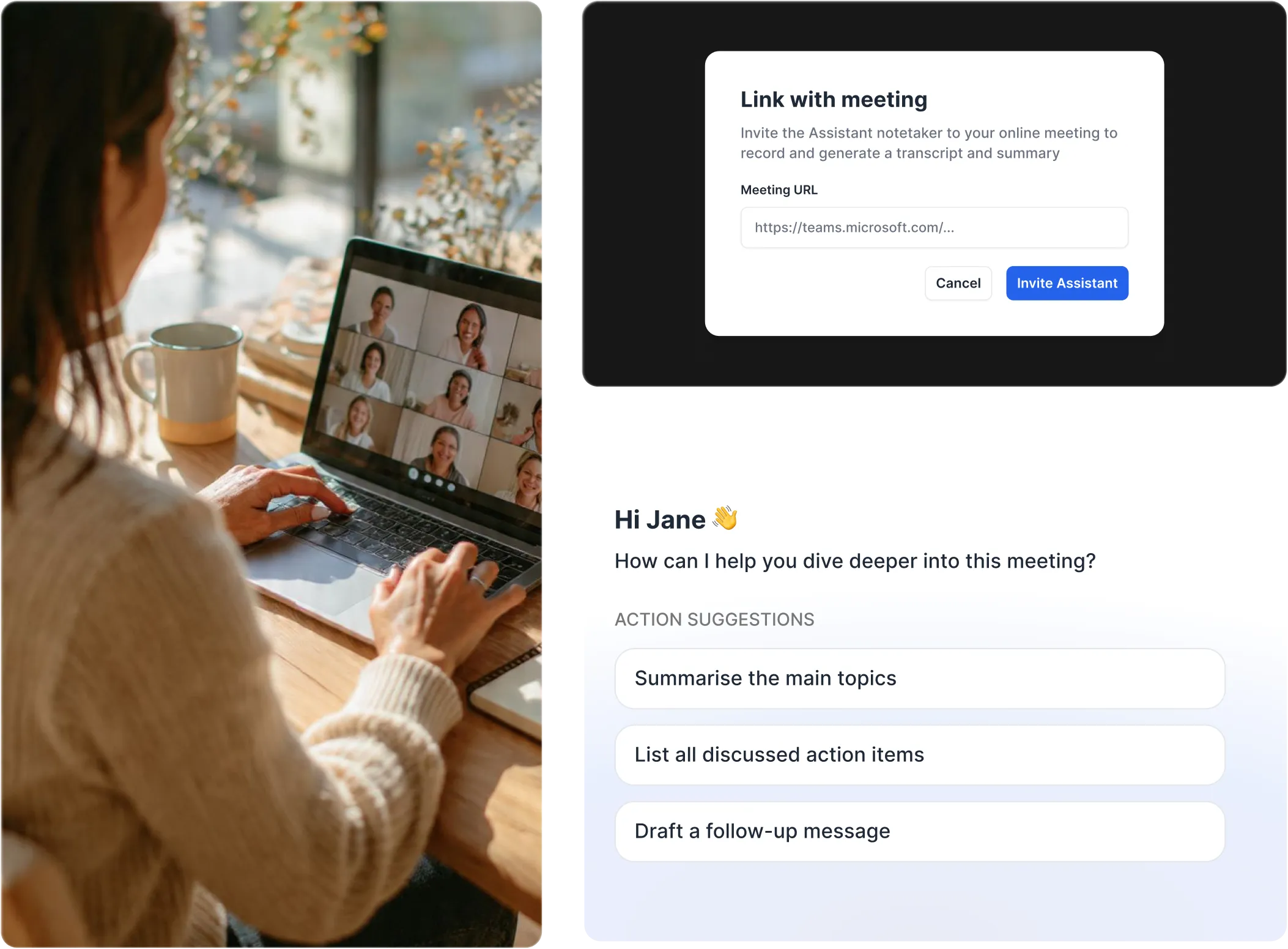
Scoped to a single transcript: answers questions about decisions made, action items raised, and what was discussed.
Handling scope edges and cold starts
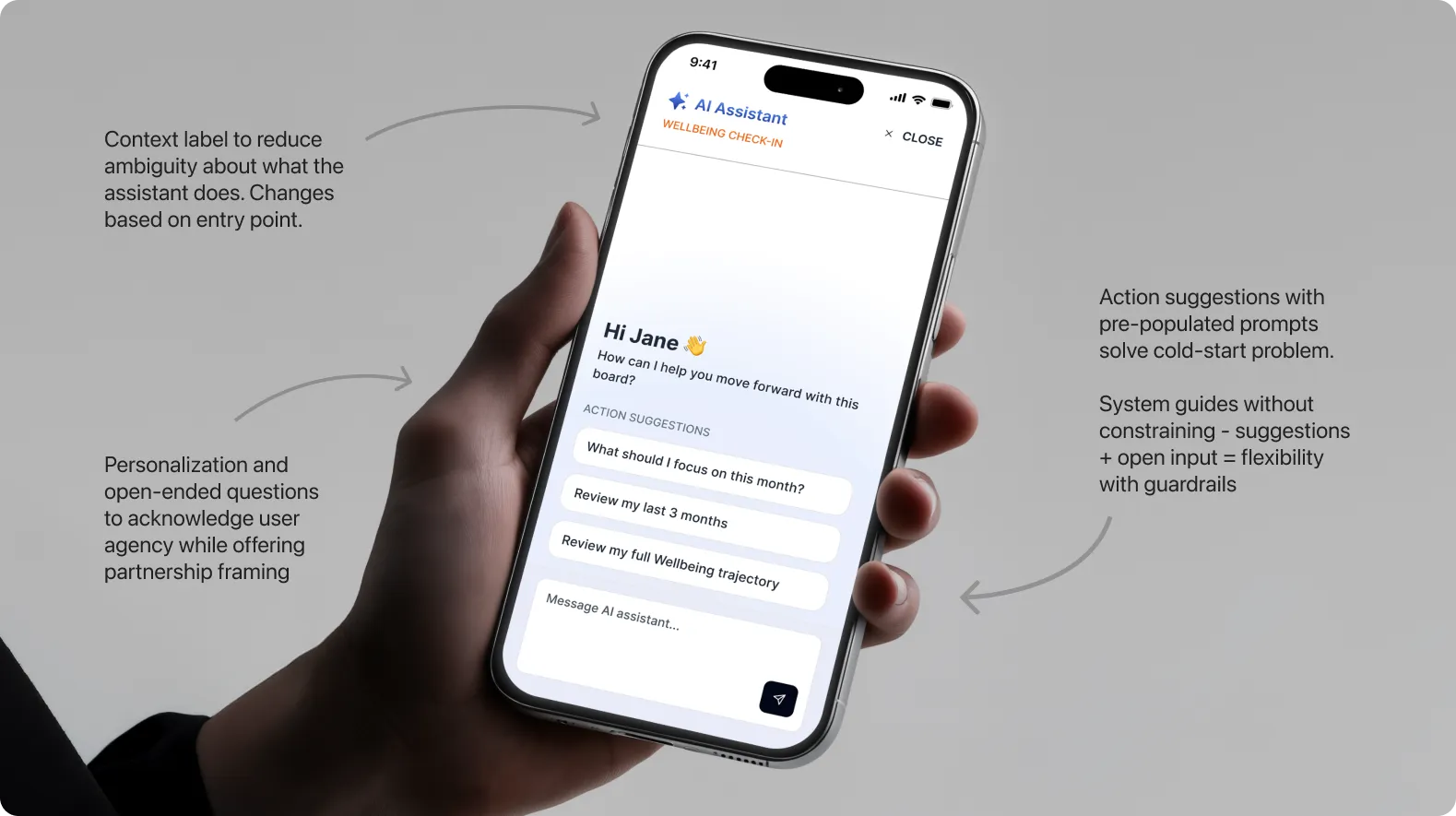
The chat knows what board it was opened from, but users will still ask questions that go beyond that scope, and they will also open it with no idea what to ask. Both are predictable behaviours, not failure cases to avoid, and both have already been solved by adjacent products. We borrowed two patterns to handle them, rather than inventing new behaviour for problems that already have well-tested answers.
Monday.com
When the user asks about a board the AI doesn't have access to, the system says so plainly and offers to switch context. We carried that pattern through: responses are scoped to the board the chat was opened from, and off-scope questions nudge the user to the right board instead of guessing.
Miro
Selection constraints remove cold-start friction by asking the user to pick what they need help with before opening the input. We applied the same idea with pre-populated prompts at the entry point, so users aren't staring at an empty input wondering what the AI can do.
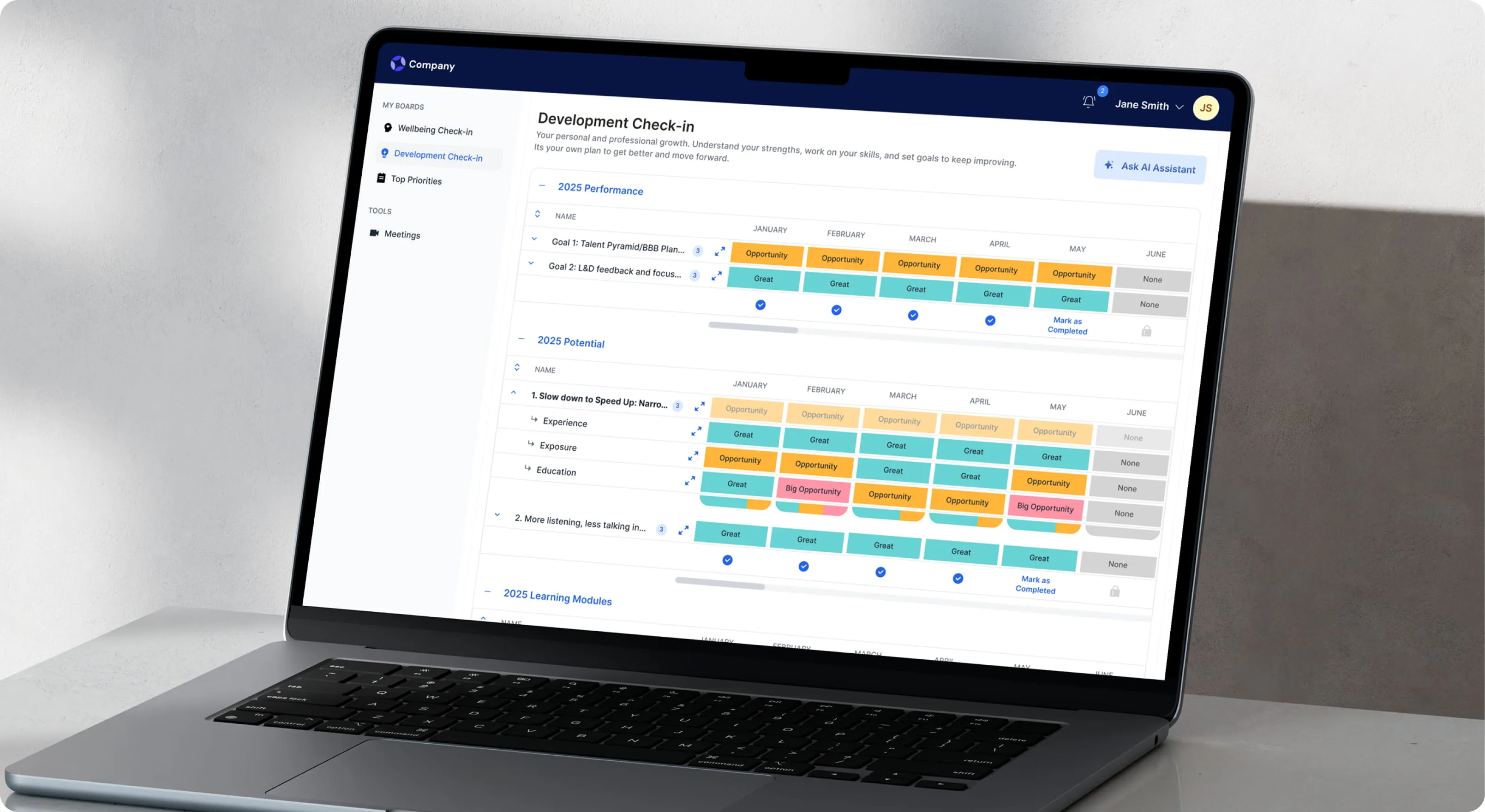
Conversational agent
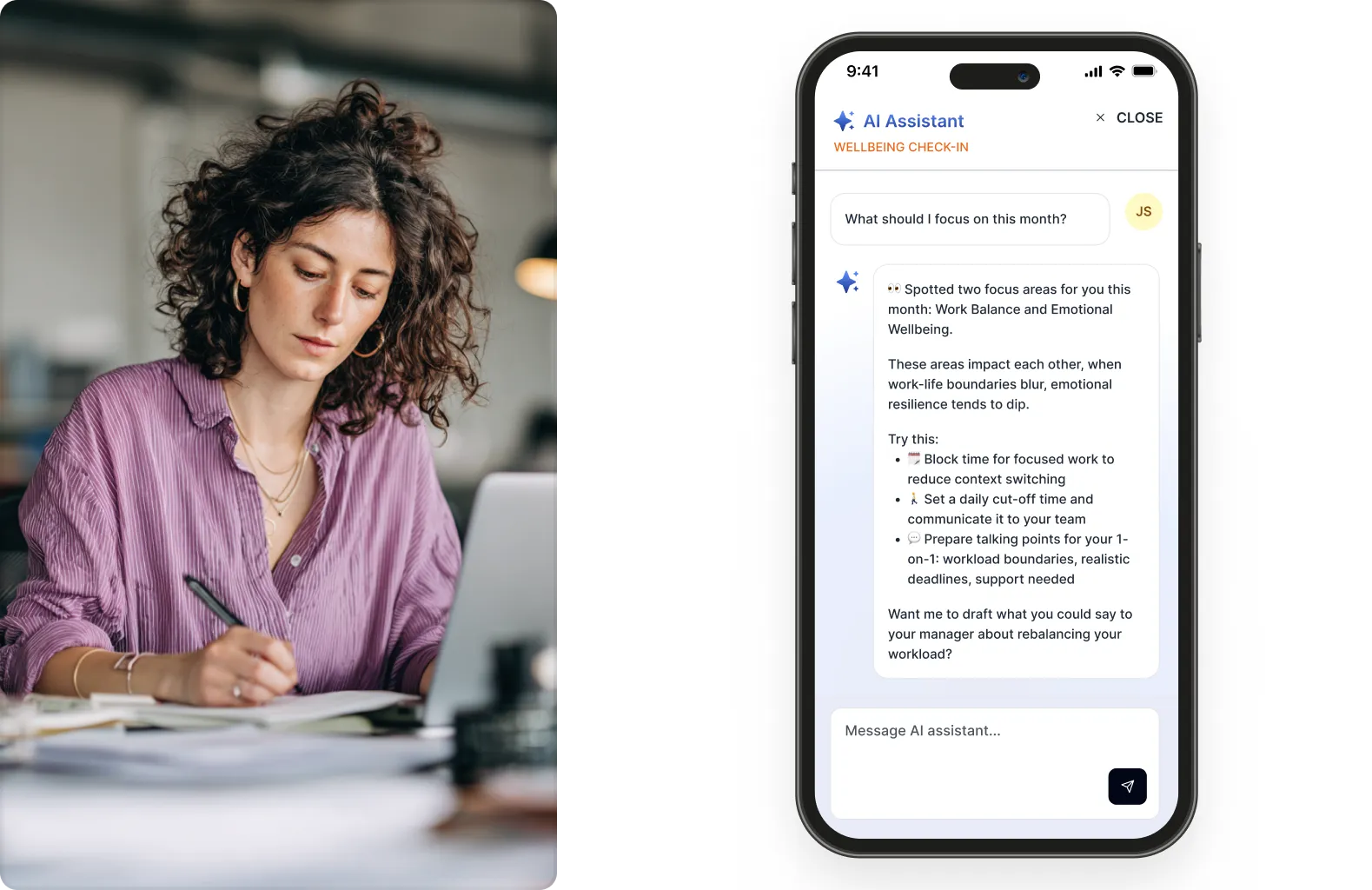
A chat interface that combines data analysis with conversation
Analyses user data to surface insights, offers guided action prompts to reduce decision paralysis, and provides follow-through support for tasks. A context label clarifies what the assistant does, pre-populated prompts solve the cold-start problem, and an open input keeps the experience flexible inside clear guardrails.
Mapping the conversation flow
Sketching the branching paths the chat could take from a single entry point made it clear where the AI needed structure, where it needed to step back, and where the user should always be in control.
Contextual awareness
An assistant that knows where you are and adapts
The system knows which board the user is on and tailors its responses to that context. When chat opens from the wellbeing screen, the agent already has the user's ratings: it scans for the weakest areas, ties them to upcoming commitments, and proposes a next step. A low wellbeing score plus a 1:1 in three days becomes a single, well-timed nudge.
Recording & transcription agent
Meeting intelligence that surfaces what matters
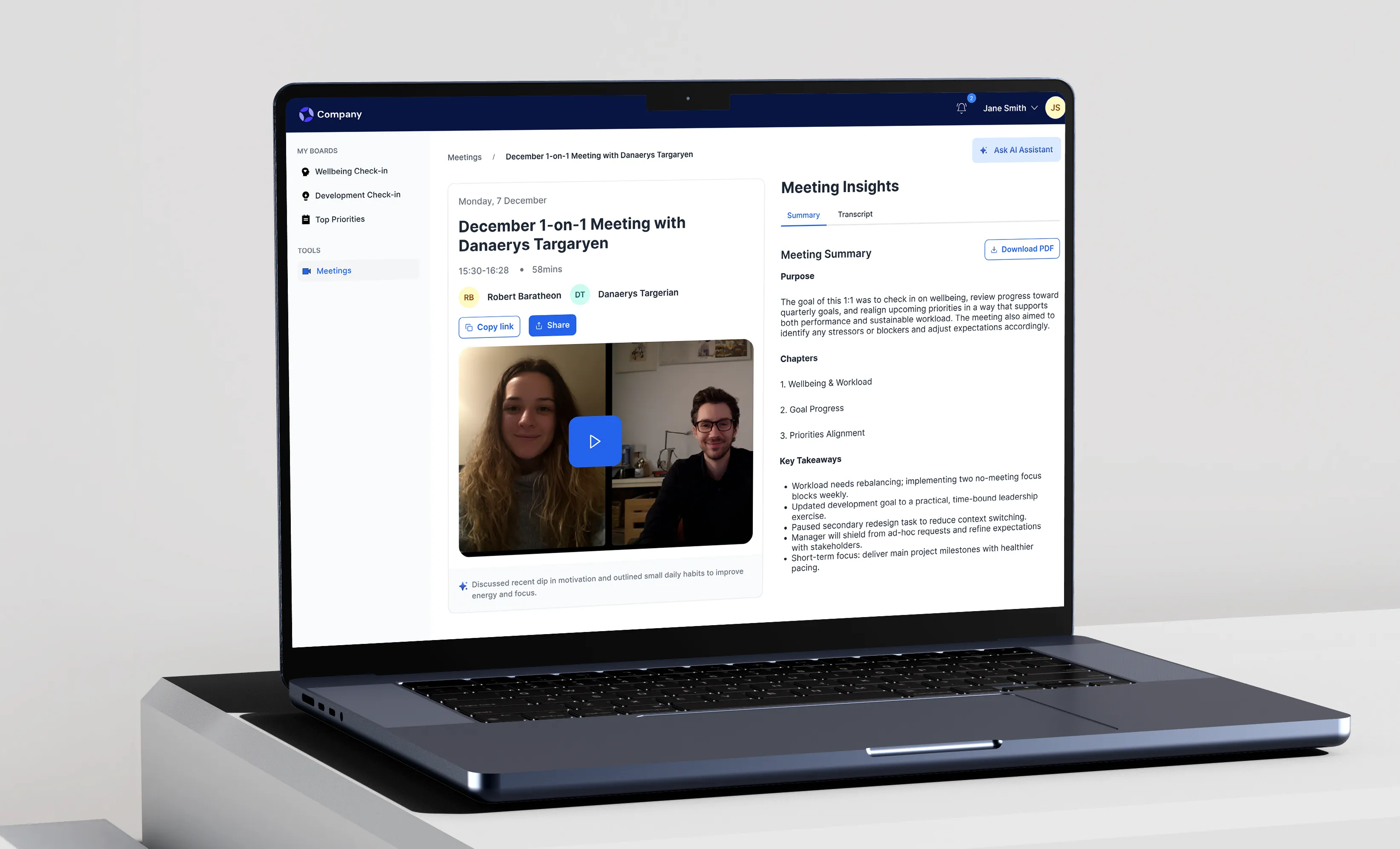
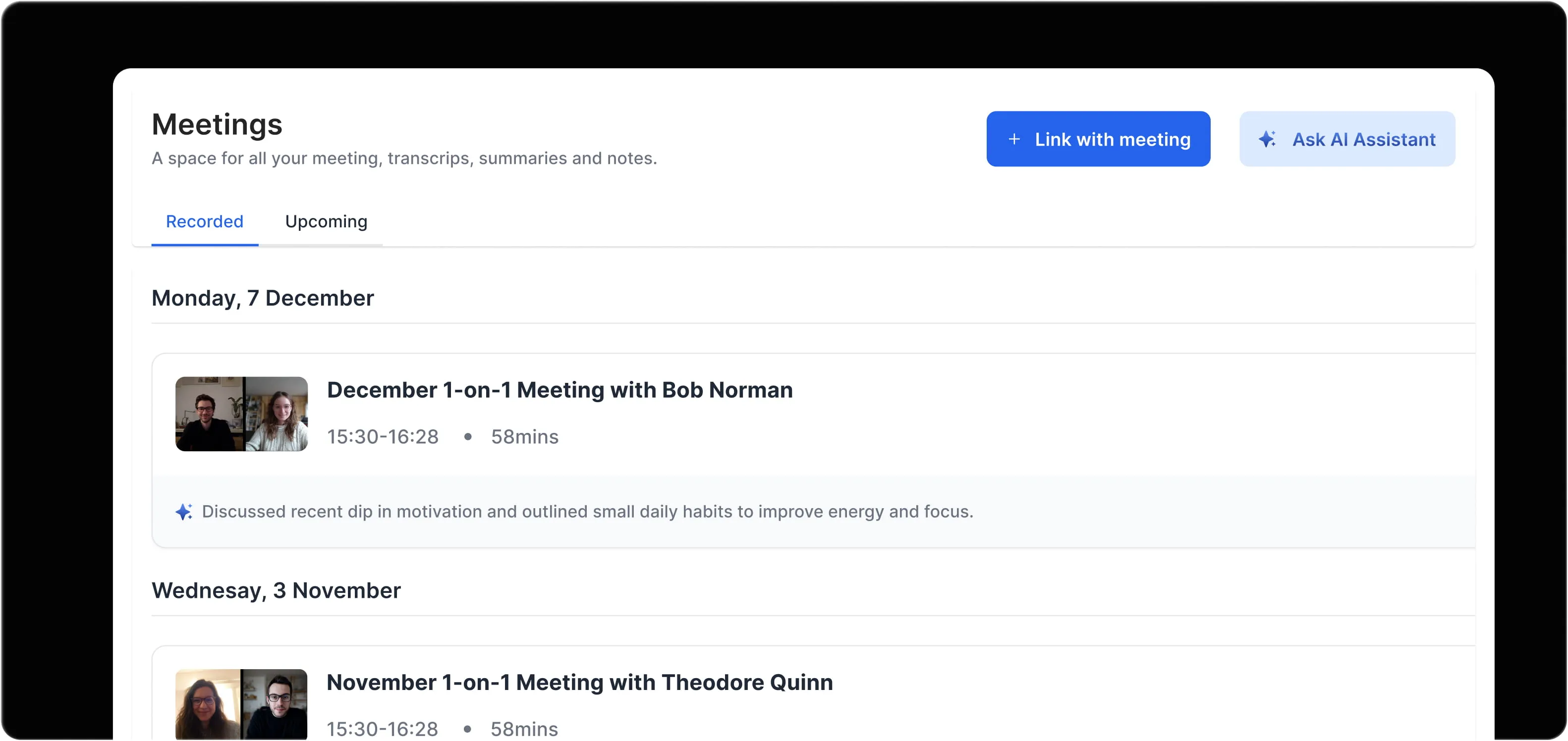
An automated note-taker joins 1-on-1s, transcribes them, and extracts action items, decisions, and key discussion points into a structured summary. Users can ask questions of past meetings instead of scrubbing through transcripts. The meetings library keeps every transcript searchable in one place.
Reflections
The challenge wasn't just making something functional, it was earning user trust while designing systems that genuinely supported decision-making without overstepping.
Adaptive responses prevent confusion
Built a context-detection layer that identifies which board the user is on and filters responses to match. It kept the interactions relevant and prevented the generic answers that erode trust in an AI feature fastest.
Context beats complexity
The most effective AI interactions weren't the smartest, they were the ones that understood intent from minimal input. A simple, well-timed nudge often outperformed multi-turn conversations.
Autonomy levels define trust
Separating the conversational agent from the transcription agent made it clear why one tool required interaction while the other worked in the background, and gave the team a shared mental model for which patterns belonged where.